Get an estimate

How to Choose a Commercial Display Cooler in 2026?

Choosing a Commercial Display Cooler in 2026 is not just a matter of picking a cabinet that looks bright and spacious. The right unit must hold safe, steady temperatures while keeping products visible and operating costs manageable. A warm aisle, frequent door openings, and strong display lighting can all affect performance. Small details matter.

ENERGY STAR reports that certified commercial refrigerators and freezers are about 20% more energy-efficient than standard models. That figure offers a useful benchmark, but it is not a promise of identical savings in every shop. The International Energy Agency’s The Future of Cooling report projects that global energy demand for space cooling could more than triple by 2050. The report covers cooling broadly, not display coolers alone, yet it highlights why efficiency deserves careful attention.

This guide looks at the practical checks buyers should make: usable capacity, temperature consistency, energy use, glazing, lighting, noise, maintenance access, and service support. Compare the product’s test data and warranty terms, not just its headline specifications. A cooler that fits neatly in a plan may still block customer flow or struggle during busy hours. That happens. Match the unit to your products, shop layout, and local operating conditions, then verify performance claims with manufacturer documentation and independent certification where available.
How to Choose a Commercial Display Cooler in 2026?

Define Your Products, Sales Volume, and Display Requirements

Before comparing cabinet sizes, list the products you plan to sell and how customers should see them. Bottled drinks, boxed desserts, and prepared salads need different shelf layouts and visibility. Measure the tallest package, including any lid or label that could catch on a shelf. Measure twice. Check whether products need steady chilled storage, extra space for airflow, or quick access during busy periods. A crowded cabinet can hide items and make restocking harder.

Estimate sales volume from normal weekdays and peak periods, not a single unusually busy day. Review how many items staff replenish per hour, and how often deliveries arrive. Leave room for stock rotation; shelves packed to the edge may look full but can obstruct airflow. Then consider the display itself: glass doors can help separate customers from products, while an open front may suit rapid grab-and-go service. Check aisle width, counter height, lighting, and sightlines from the entrance. Small details matter. Sales records are rarely perfect, so allow some flexibility rather than sizing the cooler around a guess. The best choice should fit the products, daily workflow, and space customers actually use.

Compare Commercial Display Cooler Types and Configurations

How to Choose a Commercial Display Cooler in 2026?

Compare Commercial Display Cooler Types and Configurations

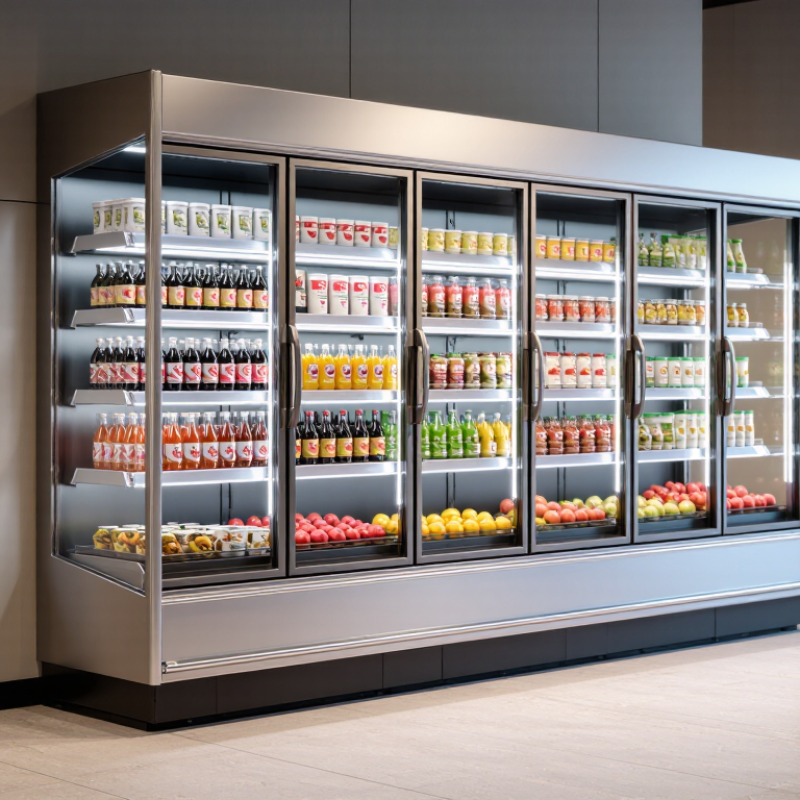
Commercial display coolers vary in access, capacity, and airflow. Open multideck cases suit busy aisles where shoppers need quick access to drinks or packaged food. They can lose cold air more readily, so check the store’s ambient temperature and expected door traffic. Glass-door reach-in coolers help retain chilled air and keep products visible. They may slow browsing during rush periods.

Looks matter.

Choose a configuration around the products, not just the available floor space. Upright units offer vertical shelving for bottles and tubs, while countertop coolers keep small items near checkout. Adjustable shelves help accommodate changing package sizes, but crowded shelves can block airflow.

Measure door swings, aisle clearance, and the route for restocking. A cooler that fits on paper may feel awkward once staff are moving carts nearby.

That detail is easy to miss.

Tips:

Compare usable shelf space, not just exterior dimensions. Ask how the unit performs when frequently opened, and review temperature displays, cleaning access, and service requirements. If possible, test the layout with typical products before ordering. A little extra capacity can help, though oversized equipment may waste valuable space.

Evaluate Cooling Performance, Capacity, and Energy Use

A commercial display cooler should hold a steady temperature during real service, not just in a showroom. Check the rated operating range and whether the unit can recover after repeated door openings. A simple independent thermometer can reveal swings the display may miss. Watch it during a busy period. That matters.

Capacity is more than the number of shelves. Measure the products you actually sell, including tall bottles, trays, and seasonal stock. Leave room for air to move around items; tightly packed shelves can create warm spots. Check shelf spacing and usable depth in person, since catalog dimensions can feel generous until a delivery arrives. I would not size the cabinet only for an average Tuesday.

Energy use deserves the same scrutiny. Compare stated daily or annual consumption across models with similar capacity and cooling conditions. Door seals, lighting, defrost cycles, and ventilation clearance all affect real-world use. Keep the cooler away from ovens and direct sunlight where possible, and avoid blocking its air intake. Ask how the figures were measured. A lower number is useful, but only if the unit also maintains stable cooling when your shop is warm and doors are opening often. No specification sheet captures every layout perfectly.

How to Choose a Commercial Display Cooler in 2026? — Evaluate Cooling Performance, Capacity, and Energy Use

Cooler Type Typical Usable Capacity Typical Operating Temperature Indicative Energy Use Cooling and Display Considerations Best Suited For
Countertop display cooler Approximately 50–200 L Typically 2–8°C for chilled products Approximately 1–4 kWh per day Compact footprint and easy product access. Limited storage means frequent restocking; check that airflow is not blocked by tightly packed products. Cafés, small counters, and point-of-sale displays
Single-door upright cooler Approximately 300–700 L Typically 2–8°C for chilled products Approximately 3–9 kWh per day A practical balance of shelf space and floor area. A self-closing, well-sealed door helps limit cold-air loss during busy periods. Convenience stores, cafés, and smaller grocery departments
Double-door upright cooler Approximately 700–1,400 L Typically 2–8°C for chilled products Approximately 6–16 kWh per day Offers more visible storage and can reduce the need for multiple small units. Confirm the required clearance around air inlets and outlets. Supermarkets, larger food shops, and high-volume beverage sales
Open-front multideck cooler Approximately 300–1,000 L per metre of display length Typically 2–8°C for chilled products Approximately 12–35 kWh per day per unit Provides fast, unobstructed customer access. Open-front designs can use substantially more energy, so night blinds, air curtains, and suitable room conditions matter. Supermarkets and grab-and-go areas with frequent customer access
Glass-door freezer merchandiser Approximately 300–900 L Typically −18 to −22°C for frozen products Approximately 6–18 kWh per day Designed for frozen foods rather than chilled drinks. Compare temperature recovery, door-heater design, and defrost controls; frost can reduce visibility and efficiency. Frozen food displays in grocery and convenience retail

Selection note: Figures are indicative ranges, not guaranteed ratings. Actual capacity and energy consumption vary with cabinet dimensions, ambient temperature, door-opening frequency, product loading, defrost settings, and test conditions. Compare manufacturers’ stated daily energy consumption using the same test standard, and verify that the unit can maintain the required product temperature under your site conditions.

Check 2026 Safety Standards, Materials, and Smart Features

A commercial display cooler should meet the safety requirements that apply where it will operate. In 2026, verify current electrical, fire, and food-equipment rules with the relevant local authority. Check that the unit carries an accepted third-party safety certification, and ask for documentation rather than relying on a sales claim. If the cooler will sit near a customer walkway, inspect its stability, door swing, and accessible edges.

Materials affect hygiene and daily maintenance. Smooth stainless-steel interiors resist corrosion and are easier to wipe down than rough seams or exposed joints. Tempered glass improves visibility, but inspect its edges and confirm that replacement panels are readily available. Look closely at door gaskets: a loose corner can let warm air in and create condensation. Small details matter. I would not choose a finish based on appearance alone; fingerprints and cleaning effort become real concerns during busy shifts.

Smart features can support safer operation, but only when staff can use them. Temperature alarms, readable displays, and downloadable records help spot cooling problems before products warm noticeably. Remote alerts may be useful overnight, though they do not replace routine checks or a clear response plan. Ask how often sensors need calibration and what happens during a network outage. A feature list can look impressive. Test the controls in person, and make sure the temperature setting is easy to read from the aisle.

Assess Installation, Maintenance, Warranty, and Total Cost of Ownership

How to Choose a Commercial Display Cooler in 2026?

Assess Installation, Maintenance, Warranty, and Total Cost of Ownership

Before comparing models, measure the doorway, aisle, and final installation space. Check the cooler’s dimensions, ventilation clearances, electrical requirements, and floor capacity. A unit may fit the sales area but fail to pass through a narrow back entrance. Confirm who handles delivery, positioning, and setup. Small details can cause costly delays.

Maintenance affects daily operations. Look for removable shelves, accessible filters, and clear cleaning instructions. Ask how often routine tasks are needed and whether parts are readily available. Review the warranty carefully: note its duration, covered components, exclusions, and service process. A long warranty is less useful if repairs take weeks. Estimate total cost of ownership by considering purchase price, energy use, maintenance, repairs, and expected service life. Energy ratings help with comparisons, but actual costs depend on use and store conditions. Estimates are imperfect; leave room for surprises.

Tips: Ask the supplier for installation requirements in writing. Compare estimated yearly energy costs using your operating hours. Check the door seals and temperature display during inspection. Keep a maintenance log. It takes minutes, and it can reveal recurring problems.